YIVUAIH
Stratish
Inner Column: Every byte scarred by your wicked lash

Left Column: Will be repaid by a drop of your blood

The speaker is unknown here, it is either Vita or Rigel

Center
Solution to YIVUAIH.png
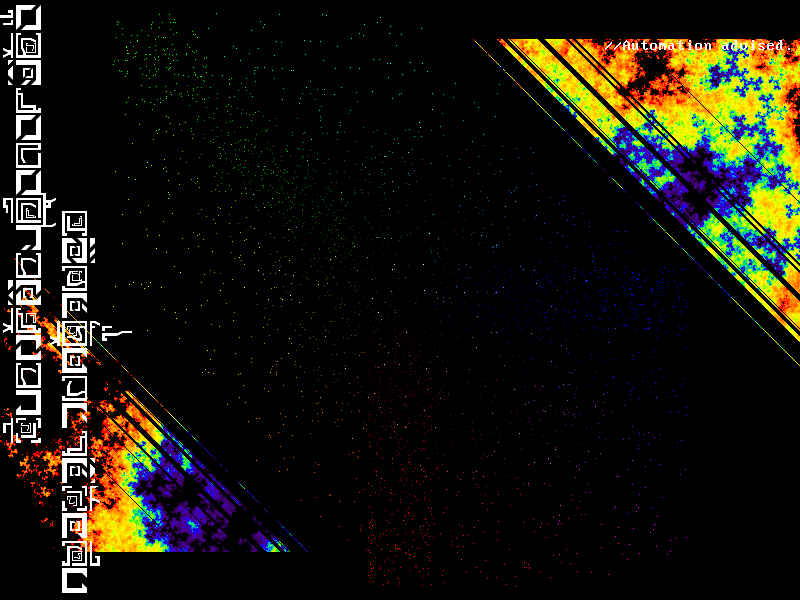
Contains pixels with different colors on a black background. First, notice that red pixels are mostly located at the bottom of the image, green ones at the top-left and blue ones at the right. The pixels scattered across the image should be gathered to the center by moving red pixels up, blue pixels to the left and green pixels down and to the right. Let (x, y) be the original coordinates of each colored pixel, (x’, y’) be the the new coordinates and (r, g, b) be the RGB values of its color. The formulas are:
x’ = x - b + g
y’ = y - r + g
All colored pixels are changed to white to aid readability.
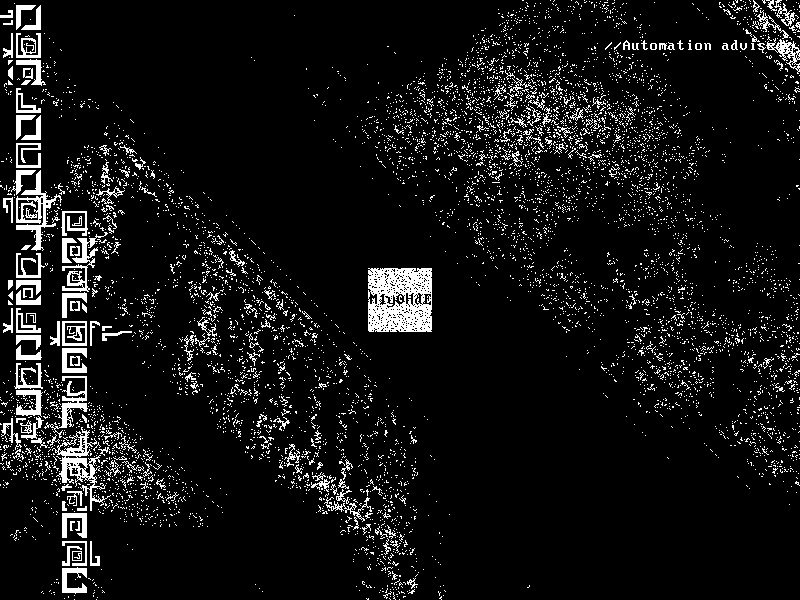
The resulting image has a white square in the center with the next Imgur link: M1y0HdE
Sample Python Code
Requires the NumPy and SciPy packages.
import numpy
from scipy.misc import imread, imsave
X = 800
Y = 600
s = imread(“YIVUAIH.png”, mode=”RGB”)
t = numpy.zeros((Y, X, 3), dtype=numpy.uint8)
for y in range(Y):
for x in range(X):
r, g, b = s[y, x]
if (r, g, b) != (0, 0, 0):
x2, y2 = x-b+g, y-r+g
if 0 <= y2 and y2 < Y and 0 <= x2 and x2 < X:
t[y2, x2] = [255, 255, 255]
imsave(“YIVUAIH_solved.png”, t)